

Have You Tried Turning It Off and On Again?
-
It’s the most common tech support question — and it’s not just a joke. Have You Tried Turning It Off and On Again? is often the smartest first step when your computer or phone starts acting up. Restarting can fix problems that seem complicated, such as slow performance, missing sound, or programs that won’t open.
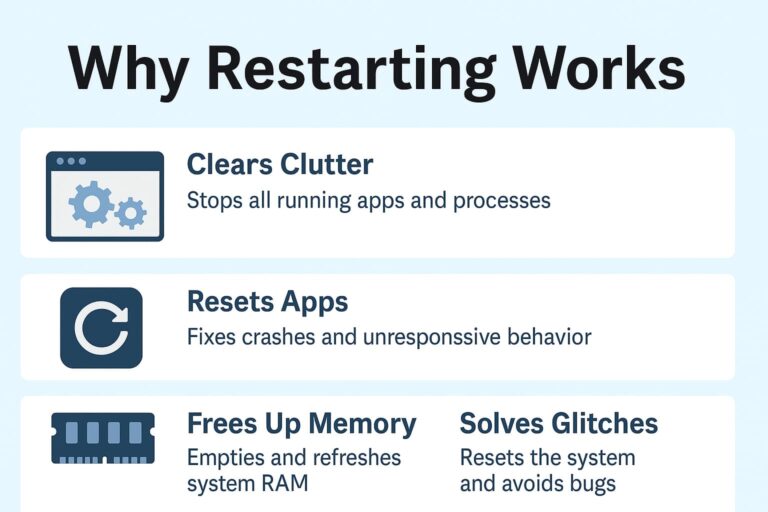
When you use your computer for hours or days without restarting, it’s like leaving every app, browser tab, and file open on your desk. Things pile up, programs get stuck, and memory fills up. A simple restart closes everything, clears temporary files, and gives your device a clean slate to start fresh.
According to Microsoft’s official support page, rebooting helps resolve issues such as freezing screens, missing sound, or slow performance by reloading drivers and freeing up system memory. In short, restarting works because it resets all the little things that can quietly go wrong behind the scenes.
Everyday Examples of When a Restart Helps
If your computer:
- Takes forever to open programs
- Connects to Wi-Fi but doesn’t load webpages
- Stops recognizing your printer or USB devices
- Plays sound from one speaker but not the other
Try restarting before spending hours troubleshooting. You’ll be surprised how often it works.
How Often Should You Restart?
You don’t need to restart your computer every single day — but doing it once or twice a week is a good habit. Regular restarts:
- Keep performance smooth and stable
- Help new updates finish installing
- Prevent memory buildup that can slow things down
- Fix small issues before they become big ones
If you use your computer all day for work or school, shutting it down at night or restarting every few days helps extend its life and prevent random glitches. Laptops left on for weeks at a time often start showing odd issues that disappear after a quick reboot.
It’s Not Just for Computers
The same logic applies to almost any device:
Phones: Restarting clears unused apps, fixes lag, and restores Bluetooth or Wi-Fi connections.
Routers: Turning them off for 10 seconds can solve random internet dropouts — but if you find yourself restarting your router every week or two, that’s usually a sign the device is aging or beginning to fail. A healthy router should run for months without needing a reboot. Frequent resets generally indicate overheating, low memory, outdated firmware, or failing internal components. A reboot may temporarily help, but if resets become a routine, it’s time to replace the router.
Printers & smart devices: Power cycling resets communication problems, refreshes the connection to your network, and clears jammed processes.
Basically, if it has a power button, a restart can probably help.
When It’s Time to Call for Help
If restarting doesn’t fix the problem, there might be something bigger happening — such as a failing hard drive, a software conflict, or a virus. That’s when calling Little Dog Tech makes sense. Our local technicians can test your hardware, remove malware, install updates, and keep your system secure and reliable — all without confusing jargon.
The Takeaway
Next time you hear someone say, “Have You Tried Turning It Off and On Again?” — take it seriously. Restarting is the digital equivalent of taking a deep breath. It resets your device, clears clutter, and often fixes the problem before it turns into a bigger headache.
If your computer still isn’t behaving, stop by our Urbandale shop or schedule a visit at LittleDogTech.com. We’ll get you back up and running — no eye-rolling required.
